
In today’s fast-paced academic world, students are juggling multiple assignments, online classes, research projects, and part-time jobs—all while trying to stay on a budget. Artificial intelligence (AI) has become a game-changer for students, offering smart, time-saving solutions for studying, writing, and organizing tasks. The best part? You don’t need to spend hundreds of dollars.
This guide explores the best budget AI tools for students you can use right now—free and affordable options that make studying easier, faster, and more efficient.
Why Students Need Budget AI Tools in 2025
College life has changed dramatically. With tuition fees and living costs rising, students are constantly looking for ways to save time and money. AI tools can help handle everyday academic challenges from essay writing to summarising lecture notes without paying premium prices.
AI-powered apps are no longer limited to tech professionals. Today, they’re accessible to anyone with a laptop or smartphone. The right AI tools for students can help you stay organized, improve your writing, and even boost your grades. Let’s look at the best budget options that actually deliver value.
Top Budget AI Tools for Students (Free + Under $10)
Below are the most popular and affordable AI tools that students in the USA are using in 2025. These tools were selected for their quality, free plan availability, and budget-friendly premium options.
1. Notion AI – Free Student Workspace
Best for: Organizing notes, creating study plans, and managing tasks.
Price: Free plan available; paid plan starts at $8/month.
Notion AI allows students to create smart digital notebooks, summarize notes, and generate study outlines. You can manage your class schedule, take meeting notes, and even plan group projects. The free student plan includes all essential features, making it a top pick for college productivity.
2. Grammarly – Free AI Writing Assistant
Best for: Writing essays, assignments, and reports.
Price: Free version available; premium starts at $12/month.
Grammarly’s AI writing assistant helps students correct grammar, punctuation, and sentence structure. It even improves tone and clarity. For essays and research papers, Grammar ensures your work sounds professional and plagiarism-free.Budget AI Tools for Students The free plan is often enough for most students.
3. ChatGPT – Free AI Study Partner
Best for: Research help, brainstorming ideas, and study summaries.
Price: Free version available; ChatGPT Plus costs $20/month.
ChatGPT is like having a personal tutor available 24/7. You can ask it to explain complex topics, summarise long articles, or help with essay outlines.Budget AI Tools for Students The free plan is powerful enough for everyday student needs, and it’s one of the most versatile AI tools available.
4. QuillBot – Free Paraphrasing Tool
Best for: Rewriting essays and avoiding plagiarism.
Price: Free plan; premium starts at $9.95/month.
QuillBot helps you rephrase text into clear, original content. It’s perfect for summarizing study materials or improving your writing style. The free version offers two modes (Standard and Fluency) that are ideal for students looking to rewrite academic papers or notes.
5. Otter.ai – AI Note-Taking Assistant
Best for: Recording and transcribing lectures or meetings.
Price: Free plan with 300 monthly minutes; paid plans from $8.33/month.
Otter.ai automatically transcribes your audio notes into editable text. It’s especially useful for students attending online lectures or seminars.Budget AI Tools for Students You can search through transcriptions and highlight key points for review before exams.
6. Perplexity AI – Free AI Research Assistant
Best for: Academic research and fact-checking.
Price: Free version available; Pro at $20/month.
Perplexity AI delivers real-time, cited answers to research questions. Unlike standard search engines, it gives accurate, summarized explanations with source links. This tool helps students find verified information for essays and research projects without endless Googling.
7. Canva Magic Write – Free AI Design Assistant
Best for: Presentations, posters, and class projects.
Price: Free version; Pro starts at $10/month.
Canva’s Magic Write tool creates design text automatically for your graphics. Students can create slides, infographics, and social media posts effortlessly. It’s a must-have for anyone working on visual projects or digital portfolios.
8. Rytr – Budget AI Writing Tool
Best for: Writing essays and short assignments.
Price: Free plan; premium only $9/month.
Rytr helps students generate well-written essays, summaries, and blog-style assignments. It supports multiple writing tones and topics, offering strong output for the price.Budget AI Tools for Students If you need fast, clean writing assistance on a tight budget, Rytr is a reliable choice.
9. Tome AI – AI Presentation Builder
Best for: Creating academic presentations fast.
Price: Free version; paid plans start at $8/month.
Tome AI uses text prompts to create slide decks automatically. Students can turn their research papers into clean, visually appealing slides within minutes—perfect for online or in-class presentations.
10. Slidesgo + ChatGPT Combo – Free Presentation Design
Best for: Beautiful and creative class presentations.
Price: Free.
Slides go provides free Google Slides templates.Budget AI Tools for Students When combined with ChatGPT prompts for content, you can produce professional-level presentations at zero cost.
Comparison Table: Budget AI Tools for Students
| Tool | Free Plan | Best For | Monthly Price |
| Notion AI | ✅ | Note-taking & Planning | Free / $8 |
| Grammarly | ✅ | Writing & Editing | Free / $12 |
| ChatGPT | ✅ | Study Assistance | Free / $20 |
| QuillBot | ✅ | Paraphrasing | Free / $9.95 |
| Otter.ai | ✅ | Transcribing Lectures | Free / $8.33 |
| Perplexity AI | ✅ | Research Help | Free |
| Canva Magic Write | ✅ | Design Projects | Free / $10 |
| Rytr | ✅ | Writing Essays | Free / $9 |
| Tome AI | ✅ | Slides Creation | Free / $8 |
| Slidesgo | ✅ | Presentation Templates | Free |
How to Choose the Right AI Tool for Your Studies

Selecting the right budget AI tools for students depends on your academic needs.
- Writers and Essayists: Grammarly, QuillBot, and Rytr are great choices.
- Researchers: Use Perplexity AI or ChatGPT for verified academic insights.
- Organizers: Notion AI keeps all your assignments, notes, and deadlines in one place.
- Designers and Presenters: Canva, Tome AI, and Slidesgo help create visually impressive projects.
Start with the free versions to test features before subscribing to any paid plan.Budget AI Tools for Students Most student-friendly AI tools have generous free plans that cover 80% of use cases.
Benefits of Using Budget AI Tools
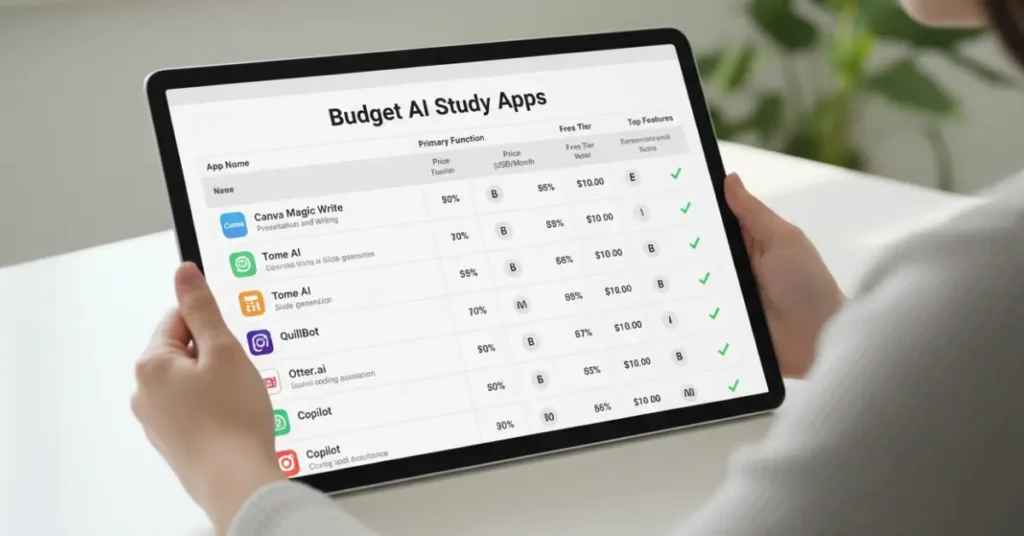
One of the biggest benefits of using budget AI tools for students is that they save time by automating tasks like note summarization, grammar checking, and research.
- Saves Time: AI automates tasks like note summarization, grammar checking, and research.
- Improves Grades: Better writing and organization lead to stronger academic performance.
- Reduces Stress: Students can focus more on learning and less on repetitive work.
- Enhances Creativity: AI tools inspire ideas for essays, projects, and designs.
- Promotes Digital Literacy: Learning to use AI responsibly prepares students for future jobs.
Common Mistakes Students Should Avoid
While budget AI tools for students are powerful, there are a few pitfalls to avoid:
- Overdependence: Don’t let AI replace your critical thinking or learning process.
- Plagiarism Risks: Always recheck AI-generated text for originality.
- Ignoring Accuracy: AI can make factual errors; cross-check references before submission.
- Skipping Manual Editing: Always review the tone and flow of AI-written content before turning it in.
Responsible use of AI ensures your work remains authentic, accurate, and aligned with academic standards.Budget AI Tools for Students
SEO Optimization Tips for Students Starting AI Blogs

If you’re planning to write about AI tools yourself, follow these SEO tips:
- Use long-tail keywords like “cheap AI study tools for college students.”
- Optimize your article title, meta description, and headings.
- Add tables, FAQs, and internal links for better readability.
- Write original, helpful content with real examples and screenshots.
- Share posts on LinkedIn, Reddit, and Pinterest to attract backlinks.
Frequently Asked Questions
Q1: What are the best budget AI tools for students in 2025?
A1: Grammarly, Notion AI, Rytr, and Otter.ai are top-rated affordable tools for writing, organization, and note-taking.
Q2: Can students use AI tools for free?
A2: Yes. Most AI tools, including ChatGPT, Grammarly, and Canva, offer free versions with strong features.
Q3: Are AI tools allowed for academic writing?
A3: Yes, if used ethically. AI tools can assist in grammar, research, and editing but should not replace original student work.
Q4: Which AI tools help with study organization?
A4: Notion AI, Otter.ai, and Canva are great for managing study materials and class projects.
Q5: What’s the best free AI tool overall for students?
A5: ChatGPT remains the most versatile free AI tool for research, writing, and general academic help.
Final Thoughts
In 2025, the smart way to study isn’t just about working harder—it’s about working smarter with the help of budget AI tools for students.
Whether you’re a high school student preparing essays or a college student tackling complex research papers, AI can be your silent academic partner. Start with free versions of these tools, explore their features, and upgrade only when necessary. The key is to use AI to enhance your learning—not replace it.
So, explore these tools today and make your student life more productive, creative, and cost-efficient.